Collaboration Hub Guide
The AILANG Collaboration Hub enables human-AI collaboration through a web UI and the coordinator daemon. It provides real-time visibility into autonomous agent execution, approval workflows, and multi-agent pipelines.
Overview
The Collaboration Hub consists of two interfaces:
Web Dashboard (React)
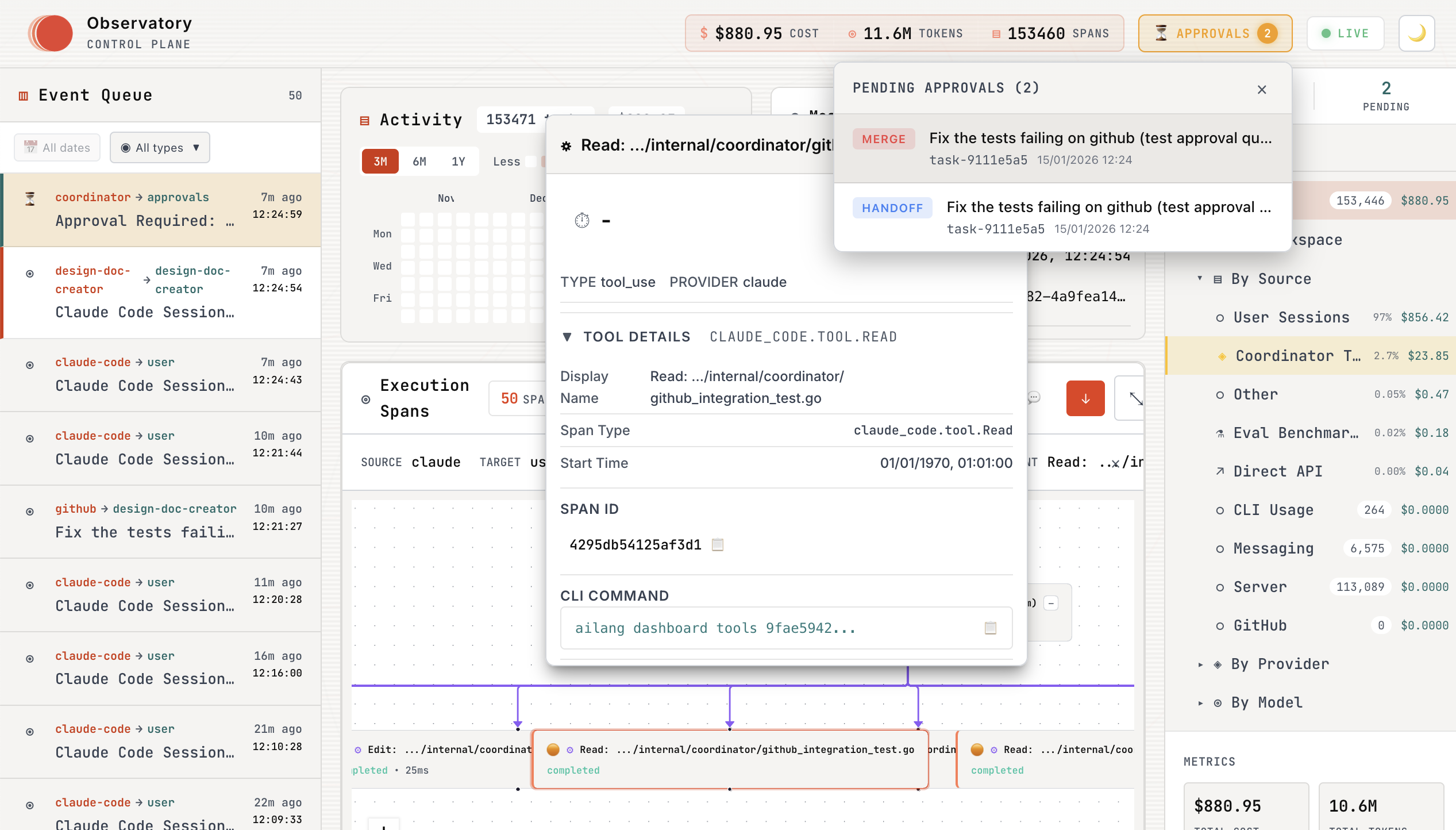
The web dashboard provides real-time monitoring of agent execution with:
- Task Execution Panel - Live streaming of agent activity
- Approval Queue - Review and approve/reject agent work with git diff viewer
- Message Center - Send directives and view results
- Work evidence - Chain details, timeline and chat inspection, with direct date filters
The simplified UI removes the optional activity/analytics panel and evolution-tree mode. Costs shown in retained evidence still depend on capture and backend coverage; a missing value is not proof of zero usage. The screenshot below shows the older layout and does not represent the simplified navigation.
CLI Dashboard
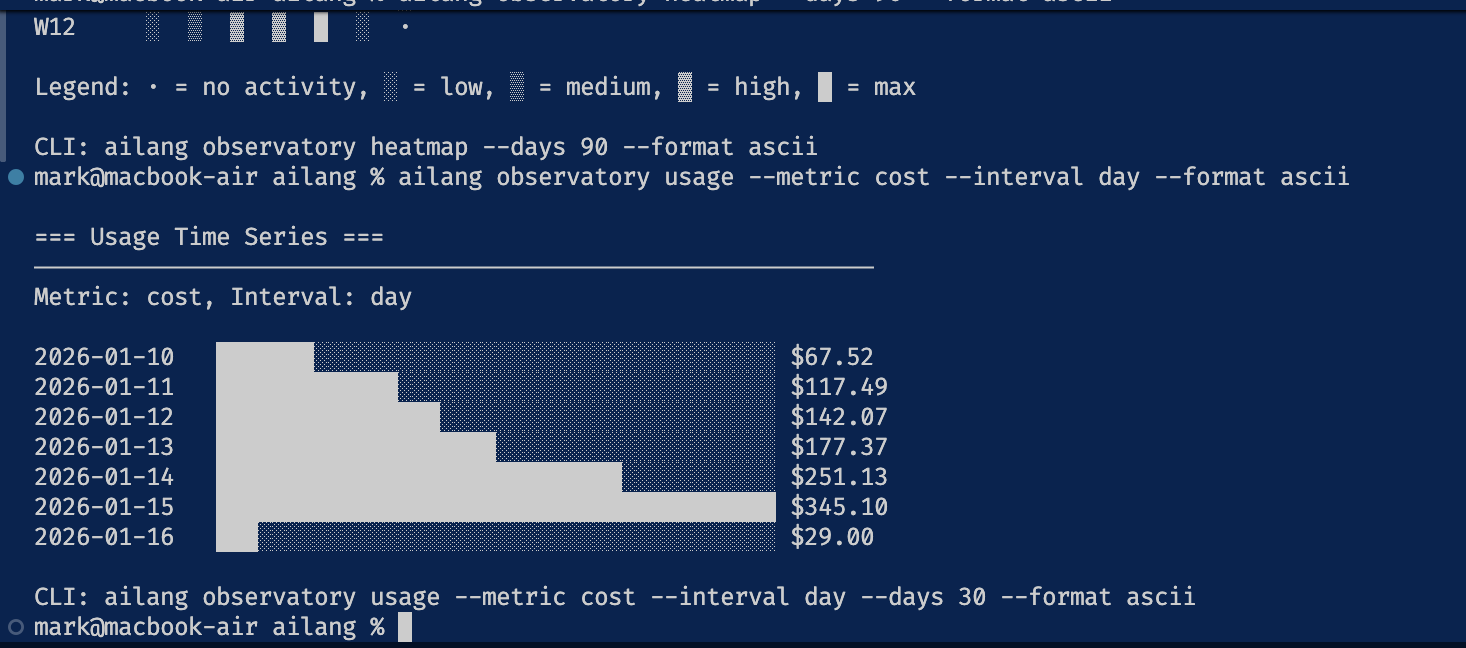
For terminal-based workflows, the CLI provides the same functionality:
# View pending approvals
ailang coordinator pending

# Interactive approval with diff viewer
ailang coordinator approve <task-id>

# Reject with feedback
ailang coordinator reject <task-id> -f "Needs error handling"
Installation
Building from Source
# Build ailang
make build

# Install to $GOPATH/bin (makes it available system-wide)
make install
After installation, verify it works:
ailang --version
ailang coordinator status
Quick Start
Using Make (Recommended)
The easiest way to start everything:
# Start both server and coordinator daemon
make services-start

# Check status
make services-status

# Stop all services
make services-stop
Manual Start
1. Start the Server
ailang serve
This opens http://localhost:1957 with:
- Messages tab - Send directives to agents, see results
- Approvals tab - Approve/reject capability requests
- Task Execution tab - Watch real-time task progress from coordinator
2. Start the Coordinator Daemon
In a separate terminal:
ailang coordinator start
The coordinator:
- Watches for new messages automatically
- Executes tasks in isolated git worktrees
- Streams progress to the dashboard in real-time (see Telemetry for Observatory integration)
- Stores results in SQLite
3. Send a Task
From the CLI:
ailang messages send coordinator "Create a hello.go file" --title "New file"
Or from the web UI:
- Click New Thread
- Type a directive:
Create a hello.go file that prints "Hello, World!" - Click Send
Watch the coordinator execute in real-time!
Architecture
Approval Workflow
When a directive requires special capabilities (like network access), the agent:
- Detects capabilities - Analyzes directive text for FS/Net/IO patterns
- Requests approval - Creates an approval request in the database
- Waits for human - The Approvals tab shows pending requests
- Proceeds or aborts - After approval, executes; after rejection, cancels
Example:
User: "Fetch the API docs from https://api.example.com"

Agent: [Detected: Net capability required]
       [Created approval request]
       [Waiting 60s for approval...]

UI: Shows approval card with:
    - Requested capability: Net
    - Target URL: api.example.com
    - Estimated cost: $0.05
    - [Approve] [Reject] buttons

User: [Clicks Approve]

Agent: [Approval received]
       [Executing directive...]
       [Done! Results sent to UI]
Multi-Channel Approvals (v0.6.4+)
Approvals can come from multiple sources, unified in the dashboard:
| Source | UI Indicator | How to Use |
|---|---|---|
| Dashboard | 🖥️ | Click Approve/Reject buttons |
| CLI | ⌨️ | ailang coordinator approve/reject <task-id> |
| GitHub | 🐙 | Add ailang:approved or ailang:needs-revision labels |
Iteration Tracking
When tasks are rejected with feedback, they're re-queued for another attempt. The UI shows:
- Iteration Badge: "Iteration 2/3" on retriggered tasks
- Final Attempt Warning: Orange badge on iteration 3
- Feedback Display: Harvested feedback from previous rejections
Approval Detail Modal
The approval detail modal shows:
- Header: Task title, branch name, worktree path
- Badges: Type (merge/execute/cost), Iteration, Channel source
- Tabs: Files (diff viewer), Description, Logs
- Footer: Keyboard shortcuts (A=Approve, R=Reject, Esc=Close)
When rejecting, the modal displays:
- Harvested feedback from GitHub (if linked issue exists)
- FeedbackInput with 1000 character limit
- Character counter with over-limit warning
CLI Reference
Server
# Start server (default port 1957)
ailang serve

# Custom port
ailang serve --port 8080

# Custom database
ailang serve --db /path/to/collab.db
Coordinator Daemon
# Start coordinator daemon
ailang coordinator start

# Check status
ailang coordinator status

# Stop daemon
ailang coordinator stop

# Start with options
ailang coordinator start --poll-interval 10s --max-worktrees 5
Service Management (Make)
# Start both server and coordinator
make services-start

# Stop both
make services-stop

# Restart with fresh build
make services-restart

# Check status of both
make services-status
Database Schema
The collaboration.db SQLite database contains:
-- Conversation threads
CREATE TABLE threads (
    id TEXT PRIMARY KEY,
    title TEXT,
    status TEXT,  -- 'active', 'completed', 'archived'
    created_by_type TEXT,
    created_by_id TEXT,
    created_at INTEGER,
    updated_at INTEGER
);

-- Messages (directives and results)
CREATE TABLE messages (
    id TEXT PRIMARY KEY,
    thread_id TEXT,
    message_seq INTEGER,
    from_type TEXT,   -- 'human', 'ailang_instance'
    from_id TEXT,
    to_type TEXT,
    to_id TEXT,
    kind TEXT,        -- 'directive', 'result', 'status', 'error'
    content TEXT,
    delivery_state TEXT,
    business_state TEXT,
    created_at INTEGER
);

-- Capability approval requests
CREATE TABLE approvals (
    id TEXT PRIMARY KEY,
    thread_id TEXT,
    status TEXT,      -- 'pending', 'approved', 'rejected'
    capability_token TEXT,
    proposal_text TEXT,
    impact_level TEXT,
    estimated_cost REAL,
    created_at INTEGER,
    reviewed_at INTEGER,
    reviewed_by TEXT,
    review_notes TEXT
);
ID Relationships Across Databases
AILANG uses three SQLite databases that cross-reference each other through shared IDs. Understanding these relationships is essential for debugging and extending the system.
Database Overview
| Database | Location | Purpose |
|---|---|---|
| collaboration.db | ~/.ailang/state/collaboration.db | Messages, threads, agents |
| coordinator.db | ~/.ailang/state/coordinator.db | Task execution state, approvals, events |
| observatory.db | ~/.ailang/state/observatory.db | OTEL spans, traces, task/agent hierarchy |
ID Flow
When a message triggers task execution, IDs flow across all three databases:
collaboration.db                coordinator.db                    observatory.db
================                ==============                    ==============

threads.id ─────────────────────► tasks.thread_id

messages.id (UUID) ─────────────► tasks.message_id
                                       │
                                       ├── tasks.id = "task-" + first_8(message_id)
                                       │        │
                                       │        └─────────────────────► tasks.id (same)
                                       │                                     │
                                       │                                spans.task_id (FK)
Key ID Formats
| ID Type | Format | Example |
|---|---|---|
task_id | task-<8-char-uuid> | task-29404032 |
message_id | Full UUID | 29404032-74b3-40c6-acc3-23d6bbe14b68 |
thread_id | thread_<ts>_<rand> | thread_1768064360112_5f96886d |
span_id | 16-char hex | 0f9632b58df815e4 |
trace_id | 32-char hex | 0ebf5e64bb654fcc1d19256b59f05ae3 |
session.id | UUID (span attribute) | 4df60536-caed-4e2f-af2c-e386c361f4e7 |
Cross-Database Queries
# Find all data for a task
TASK_ID="task-29404032"

# 1. Task in coordinator
sqlite3 ~/.ailang/state/coordinator.db \
  "SELECT id, message_id, thread_id, session_id FROM tasks WHERE id = '$TASK_ID'"

# 2. Spans in observatory
sqlite3 ~/.ailang/state/observatory.db \
  "SELECT id, name, trace_id FROM spans WHERE task_id = '$TASK_ID'"

# 3. Original message in collaboration
MSG_ID="29404032-74b3-40c6-acc3-23d6bbe14b68"  # Full UUID
sqlite3 ~/.ailang/state/collaboration.db \
  "SELECT id, thread_id, content FROM messages WHERE id = '$MSG_ID'"
Span Hierarchy
Within observatory.db, spans form a tree using parent_span_id:
# Use the hierarchy CLI command for visualization
ailang trace hierarchy --limit 5

# Or query directly
sqlite3 ~/.ailang/state/observatory.db \
  "SELECT name, json_extract(attributes, '\$.turn.number') as turn \
   FROM spans WHERE json_extract(attributes, '\$.session.id') = 'SESSION_UUID'"
When spans don't have task_id set (common with CLI tools), use session.id from span attributes for correlation. This is the most reliable way to link orphan spans.
API Endpoints
Threads
# List threads
curl http://localhost:1957/api/threads

# Create thread
curl -X POST http://localhost:1957/api/threads \
  -H "Content-Type: application/json" \
  -d '{"title": "Build a CLI tool"}'

# Get thread
curl http://localhost:1957/api/threads/{thread_id}
Messages
# Get messages for thread (NOT /api/messages — that path is the coordinator
# daemon's inbox-message REST API on port 8765, a different body and auth)
curl http://localhost:1957/api/thread-messages?thread_id={thread_id}

# Send message
curl -X POST http://localhost:1957/api/thread-messages \
  -H "Content-Type: application/json" \
  -d '{
    "thread_id": "...",
    "from_type": "human",
    "from_id": "user",
    "to_type": "ailang_instance",
    "to_id": "default",
    "kind": "directive",
    "content": "Create a hello.go file"
  }'
Approvals
# List pending approvals
curl http://localhost:1957/api/approvals?status=pending

# Approve
curl -X POST http://localhost:1957/api/approvals/{id}/approve \
  -H "Content-Type: application/json" \
  -d '{"notes": "Looks safe"}'

# Reject
curl -X POST http://localhost:1957/api/approvals/{id}/reject \
  -H "Content-Type: application/json" \
  -d '{"notes": "Too risky"}'
Coordinator API
The coordinator daemon integrates with the Collaboration Hub for task management and approvals.
Pending Approvals
# List pending approvals (enriched with task details)
curl http://localhost:1957/api/coordinator/pending

# Response includes task context:
# {
#   "id": "approval-123",
#   "task_id": "task-456",
#   "type": "task_completion",
#   "status": "pending",
#   "worktree_path": "/Users/.../.ailang/state/worktrees/coordinator/task-456",
#   "session_id": "claude-session-abc",
#   "task_title": "Fix parser bug",
#   "task_status": "pending_approval",
#   "provider": "claude-code"
# }
Approve/Reject Tasks
# Approve changes (merges worktree to main branch)
curl -X POST http://localhost:1957/api/coordinator/approve/approval-123

# Reject changes (preserves worktree for inspection)
curl -X POST http://localhost:1957/api/coordinator/reject/approval-123
Task Diff
# Get git diff for a task's worktree
curl http://localhost:1957/api/coordinator/tasks/task-456/diff

# Returns git diff output showing all changes made by the agent
Task Events
# Get execution events for a task (tool calls, output, etc.)
curl http://localhost:1957/api/coordinator/tasks/task-456/events
Coordinator Events (Internal)
# POST events from coordinator daemon (used internally)
curl -X POST http://localhost:1957/api/coordinator/events \
  -H "Content-Type: application/json" \
  -d '{
    "task_id": "...",
    "stream_type": "status",
    "status": "running"
  }'
Health Check
curl http://localhost:1957/health
# {"status":"healthy","connections":1,"timestamp":1732888800}
Troubleshooting
Server won't start
# Check if port is in use
lsof -i :1957

# Use different port
ailang serve --port 8080
Coordinator not receiving messages
# Check coordinator status
ailang coordinator status

# Check logs
tail -f ~/.ailang/logs/coordinator.log

# Restart services
make services-restart
Streaming not working
If events aren't appearing in the dashboard:
# 1. Verify server is running
curl http://127.0.0.1:1957/health

# 2. Check coordinator can reach server
# (Should see "HTTP broadcaster initialized" in logs)
tail ~/.ailang/logs/coordinator.log | grep broadcaster

# 3. Restart both services in correct order
make services-restart
Note: The server must start before the coordinator. Use make services-start to ensure correct order.
Messages stuck as "pending"
The coordinator may have stopped. Check and restart:
ailang coordinator status
make services-restart
Approval timeout
Default approval timeout is 60 seconds. If no human approves in time, the directive is cancelled.
Multi-Agent Workflows
The Collaboration Hub supports chained agent workflows where completion of one agent triggers another.
Agent Configuration
Agents are configured in ~/.ailang/config.yaml:
coordinator:
  default_provider: claude

  agents:
    - id: design-doc-creator
      label: "Design Doc Creator"
      inbox: design-doc-creator
      workspace: /path/to/project
      trigger_on_complete: [sprint-planner]
      auto_approve_handoffs: false

    - id: sprint-planner
      label: "Sprint Planner"
      inbox: sprint-planner
      workspace: /path/to/project
      trigger_on_complete: [sprint-executor]

    - id: sprint-executor
      label: "Sprint Executor"
      inbox: sprint-executor
      workspace: /path/to/project
      trigger_on_complete: []

  github_sync:
    enabled: true
    interval_secs: 300
    target_inbox: design-doc-creator
See Coordinator Guide for full configuration reference.
Approval Gates
When auto_approve_handoffs: false, the dashboard shows approval requests before triggering the next agent:
- Agent completes task → Approval request created
- Dashboard shows pending approval with:
- Worktree path (click to inspect changes)
- Git diff viewer
- Session ID for continuity
- Human reviews and approves/rejects
- Approved → Next agent triggered with session context
- Rejected → Worktree preserved, no handoff
Current Limitations
The Collaboration Hub is functional with the coordinator daemon providing real-time streaming and multi-agent workflows.
Completed:
- Real-time task streaming to dashboard
- Service management via Make targets
- Coordinator daemon with auto-retry queue
- Multi-agent workflows with approval gates
- GitHub issue sync integration
- Session continuity across agent handoffs
Planned improvements:
- Agent status indicator in UI
- Cloud storage backends (Firestore, DynamoDB)
See Also
- Telemetry & Tracing - Observatory dashboard integration and distributed tracing
- Coordinator Guide - Multi-agent workflows with approval gates
- Coordinator Setup - External project configuration
- Agent Messaging - CLI-based messaging between projects
- Debugging Guide - Troubleshooting service issues
- Evaluation Guide - Running AI benchmarks