Hosted AILANG executor
The hosted executor is an MCP server that lets an AI assistant write, check and run AILANG code
without installing anything. It is the same toolset the local ailang_bootstrap plugin gives an
agent, run on our infrastructure inside a locked-down sandbox, plus the AILANG documentation tools.
https://executor.ailang.sunholo.com/mcp/connect/
Sign in with any Google account whose email address is verified. The executor keeps your Firebase user ID, the OAuth client you signed in through, and digests (not copies) of the tokens it issued you, each until it expires.
It is also the reference example of an AILANG service published as a connector: everything on this
page is built with serve-api and sunholo/mcp_oauth, as described in
Publish an AILANG service as an MCP connector.
Tools
| Group | Tools | What they do |
|---|---|---|
| Code | ailang_prompt | The current AILANG syntax prompt. Read it before writing code |
ailang_check | Type-check a program (and run its contracts through Z3) without running it | |
ailang_run | Run a program in the sandbox and return its output | |
ailang_eval | Evaluate one expression | |
ailang_builtins | Search the builtin functions | |
| Docs | docs_search, docs_nav, stdlib_modules, stdlib_module, stdlib_search, effects_catalog, limitations_list, examples_list, example_get, example_for_concept, prompt_get, changelog_for_version, ailang_versions, install_guide, onboarding_guide, roadmap, design_docs_list, design_doc, benchmarks_list, benchmark_run, benchmarks_for_model, benchmarks_compare | The AILANG documentation, versioned. These are the tools of the open docs server https://mcp.ailang.sunholo.com/mcp/, which needs no sign-in |
| Account | executor_whoami | The account and OAuth client the call was made as |
submit_feedback | Report a bug or a missing feature to the AILANG team (no sign-in needed) |
Every tool except submit_feedback needs sign-in. All of them are read-only: running code changes
nothing outside its own temporary directory.
The sandbox
Each ailang_run, ailang_eval and ailang_check call gets a fresh directory holding one file,
main.ail, which is deleted afterwards. The program runs through ailang run --policy with a fixed
policy (docker/executor-policy.toml); the caller cannot change it.
| Limit | Value |
|---|---|
| Capabilities | IO only: no network, no environment, no clock, no process, no file system outside the request directory |
| Security mode | restricted |
| Time | 60 seconds; the supervisor then kills the whole process group |
| Source size | 64 KB |
| Output | 64 KB |
| Entry point | main |
| Rate | 30 calls a minute per account, with bursts of up to 30. Over the limit, the call gets HTTP 429 and a Retry-After header |
A program that asks for a capability it does not have gets a named policy refusal, not a crash.
What is logged. One line per call: the tool, the outcome, the duration, the size of the code, a short hash of it (so repeated retries of the same code are visible) and the first error with the request directory removed. The code itself is never logged.
Add it to your assistant
Claude (claude.ai, desktop, mobile)
Verified 2026-11-11.
-
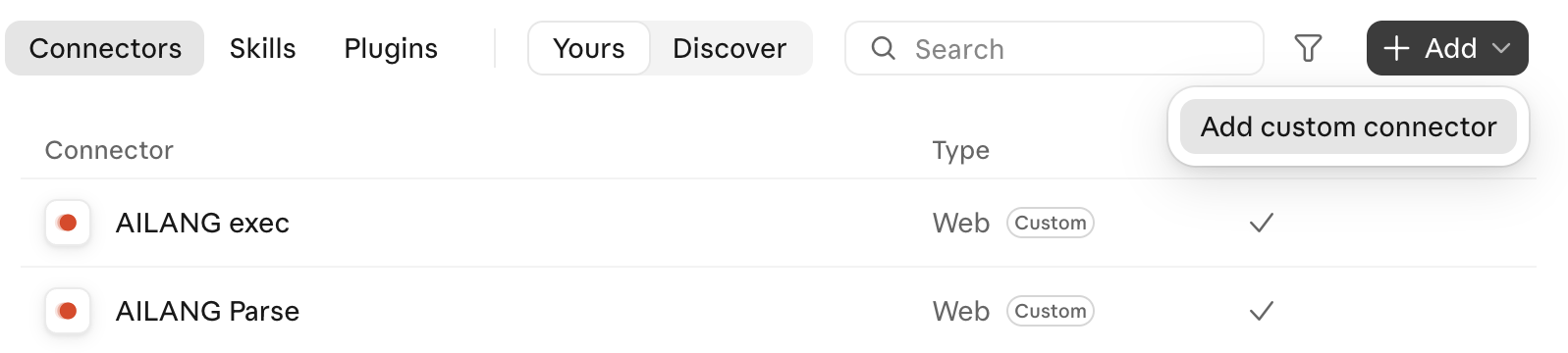
Settings → Connectors → Add → Add custom connector, give it a name and paste the URL above.
-
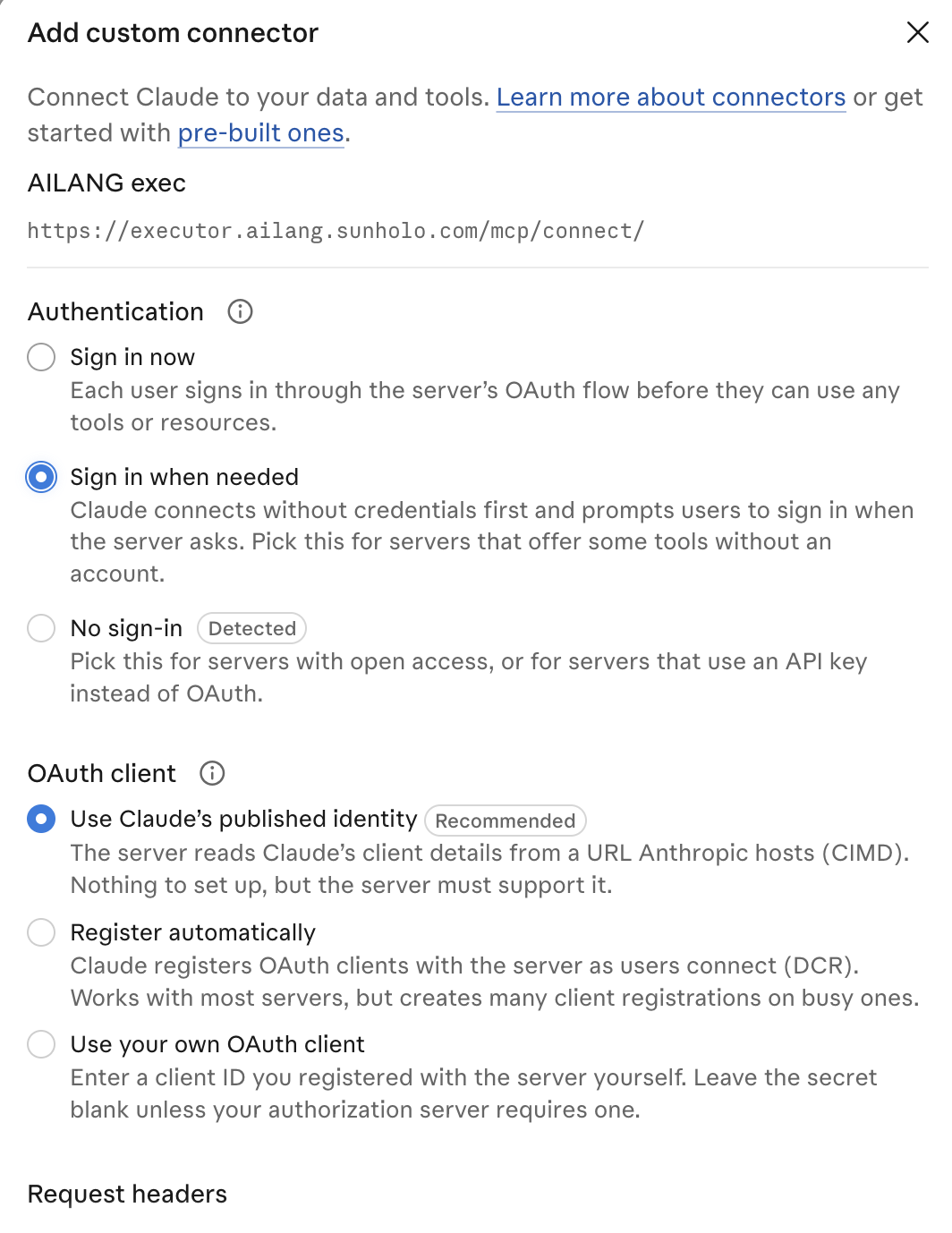
Authentication: Sign in when needed. OAuth client: Use Claude's published identity (CIMD). There is no client ID or secret to enter.
-
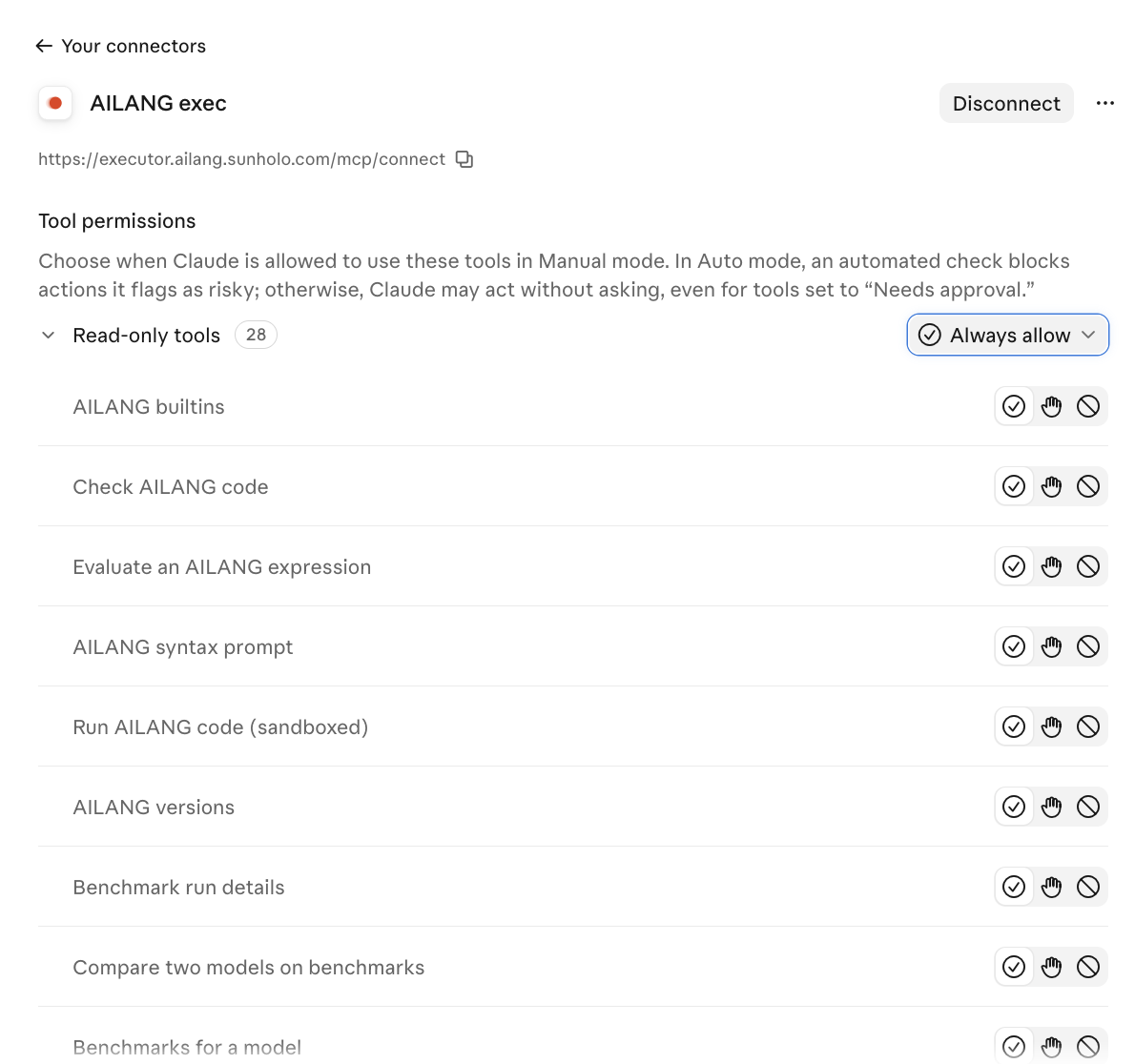
The first tool call opens the executor's sign-in page: sign in with Google and Allow. Every tool is read-only, so Always allow under Tool permissions is safe.
Claude Code
claude mcp add --transport http ailang-executor https://executor.ailang.sunholo.com/mcp/connect/
Then run /mcp in a session and choose the server to sign in.
ChatGPT
ChatGPT calls these plugins. Verified 2026-11-11 on chatgpt.com: sign-in and tool calls from an ordinary chat.
-
On chatgpt.com, open Plugins → Add → Add custom MCP server. Name it, choose Server URL and paste the URL above. Authentication: OAuth: every executor tool except
submit_feedbackneeds sign-in. Under Advanced OAuth settings, leave the client setup method on the client metadata document (CIMD); the executor does not offer dynamic registration. Tick "I understand and want to continue" and Create as a plugin.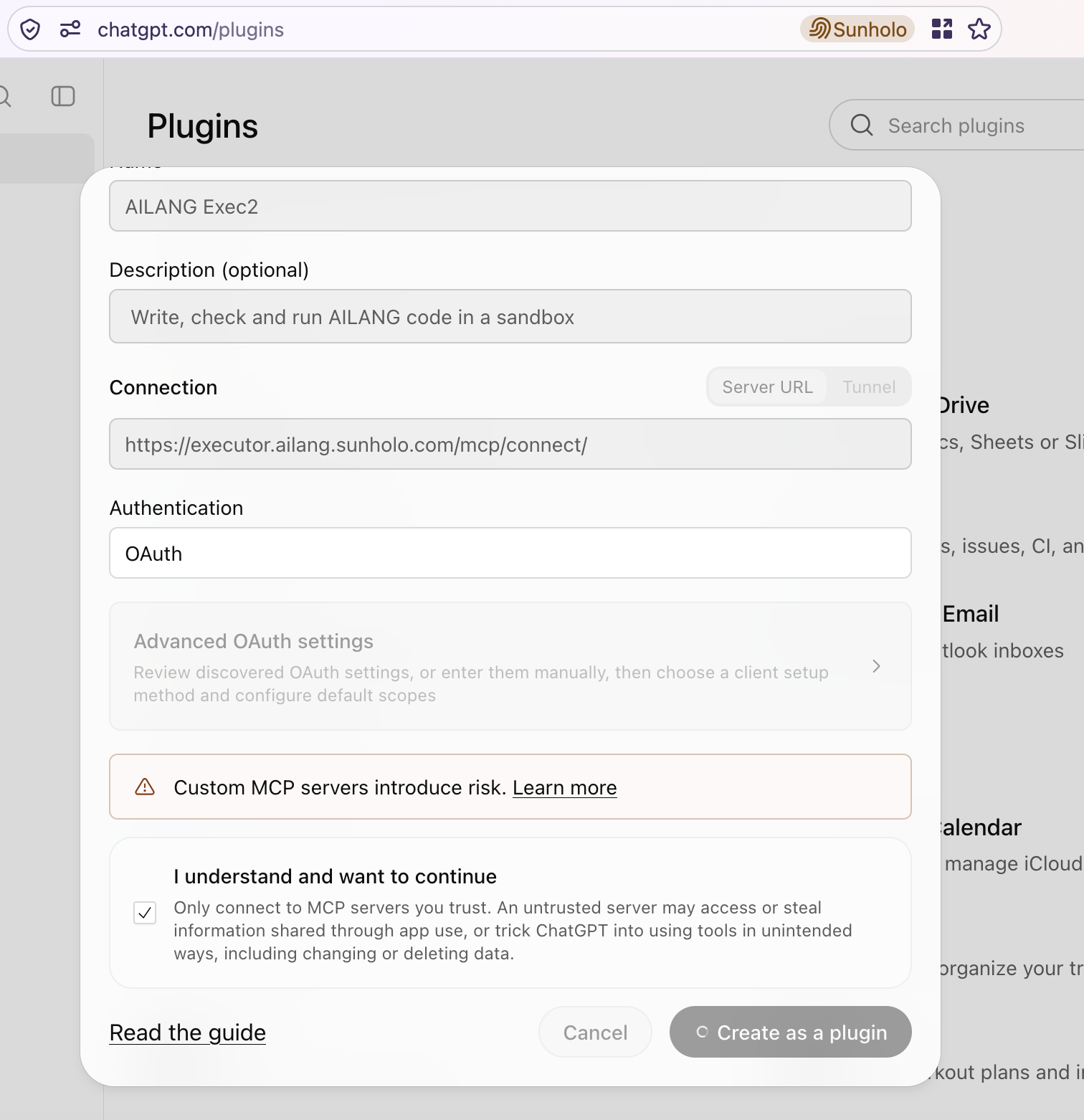
-
Connect it.
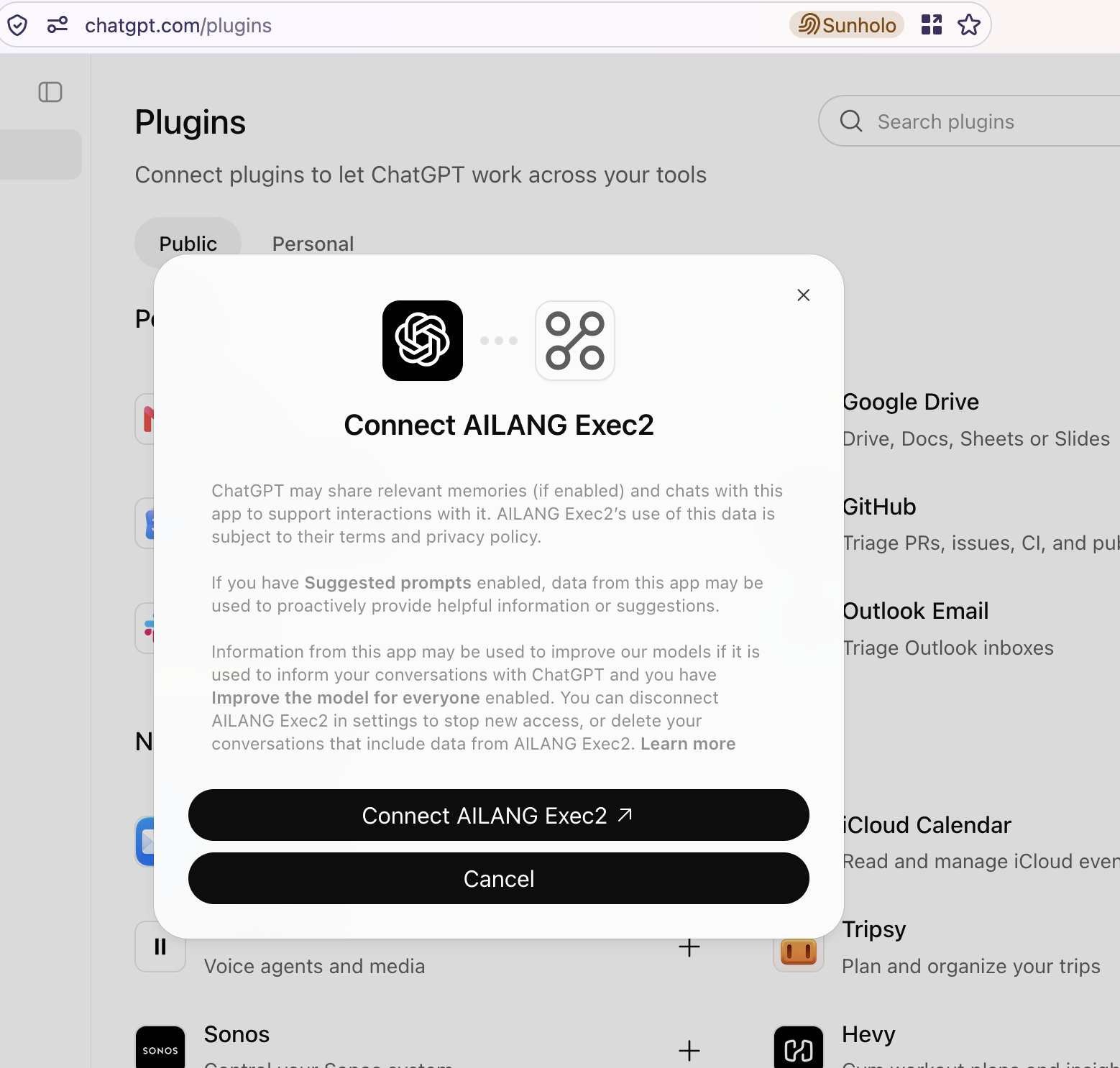
-
The executor's own page asks you to sign in with Google and allow chatgpt.com. It shows which app is asking and where the code goes.
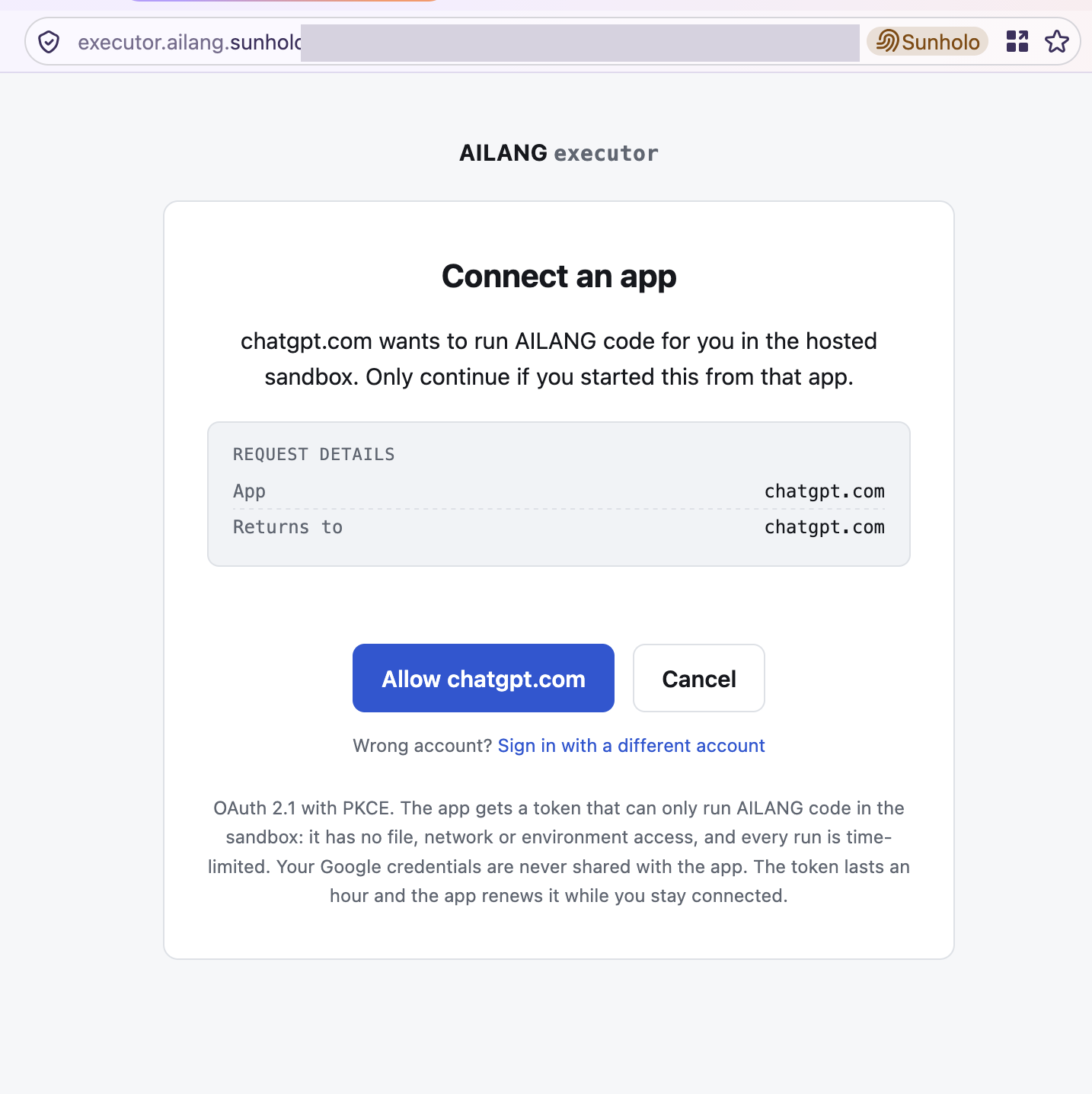
-
The plugin is listed under Personal, and an ordinary chat can use it:
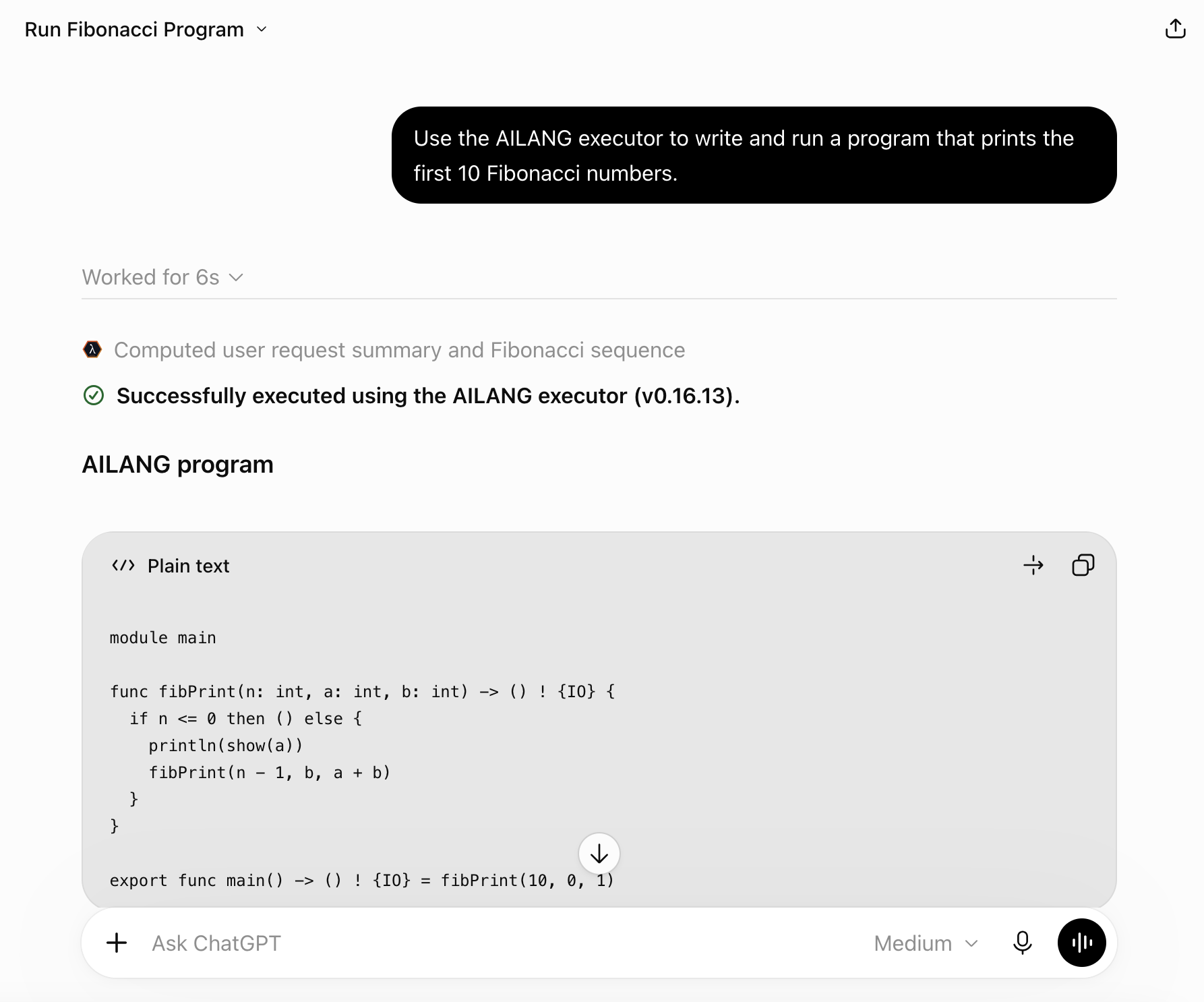
ChatGPT identifies itself as https://chatgpt.com/oauth/client.json and returns to
https://chatgpt.com/connector_platform_oauth_redirect; the executor returns iss, so there is
nothing to register.
ChatGPT desktop app. Use chatgpt.com for now. The desktop app's MCPs tab (Settings → Plugins → MCPs → Add MCP server) signs in, but on 2026-11-11 the process that runs Work tasks did not send the token it got, so tool calls were refused with 401, and ordinary chats do not see servers from that tab.
Others
Gemini Enterprise. Since v0.60.1 this server accepts pre-registered clients, which Gemini
Enterprise needs, in two ways. As a custom MCP data store, its tools become actions in an
Agent Designer agent. As an A2A agent ("AILANG Executor", card at
https://executor.ailang.sunholo.com/.well-known/agent-card.json), Gemini Enterprise hands it a
whole request, and it writes, checks and runs AILANG with Gemini and answers with the result, the
program and its real output. Either way, a Gemini Enterprise admin needs a client from us: ask
through submit_feedback or the AILANG repository. The agent answers a limited number of requests a
day, and over the limit it says so. It can also file feedback for the user. Steps and traps
(including Gemini Enterprise's daily agent-creation quota):
Gemini Enterprise with per-user sign-in
and Gemini Enterprise A2A agent.
Microsoft Copilot. Not on this server yet: it needs dynamic registration or a pre-registered client, and has not been tried.
Without sign-in. For the documentation tools only, use https://mcp.ailang.sunholo.com/mcp/.
To run code on your own machine instead, install AILANG and the ailang_bootstrap plugin, which
serves the same ailang_* tools over a local stdio MCP server.
Check it yourself
ailang mcp check https://executor.ailang.sunholo.com/mcp/connect/ --target both
This checks the server name, the tool titles and hints, that no tool takes a credential, that sign-in starts with a 401 naming the protected resource, the authorization server's metadata and that the sign-in page cannot be framed.